BCODE AKYS "Create Support Request" Procedure
You can create a support request for all issues you encounter in BCODE AKYS.
Step 1: Send a Support Request
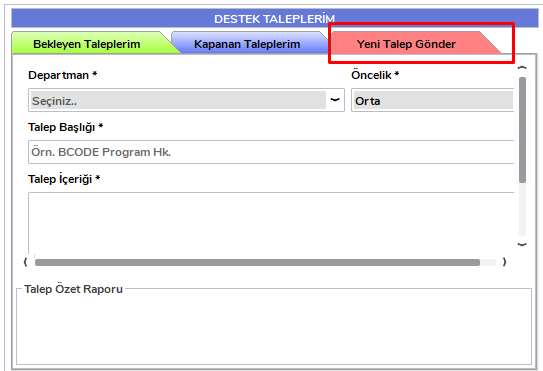
After logging in with your username and password, click the "Send New Request" button in the "My Support Requests" area at the bottom of the BCODE AKYS login screen.
Step 2: Fill in Support Request Details
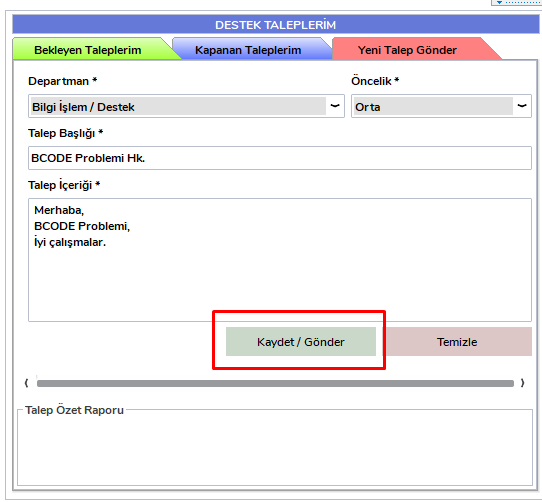
When creating a support request, you must fill in the following required fields:
- Department
- Priority
- Request Title
- Request Content
After filling in these fields, click the "Save / Send" button.
Note:
Be careful when selecting the department. Your issue will be assigned to the related support personnel and resolved as soon as possible. After your issue is resolved, the support team will contact you.
Step 3: Track Requests
- Your Pending Requests: You can track them from the "My Pending Requests" tab.
- Your Closed Requests: You can view them from the "My Closed Requests" tab.