Patient Admission
Step 1: How to Admit a Patient?
Patient admission can only be performed for patients whose subject is Surgery or Hair Transplant.
After selecting the Surgery or Hair Transplant sale, click the "Admit Patient" button.
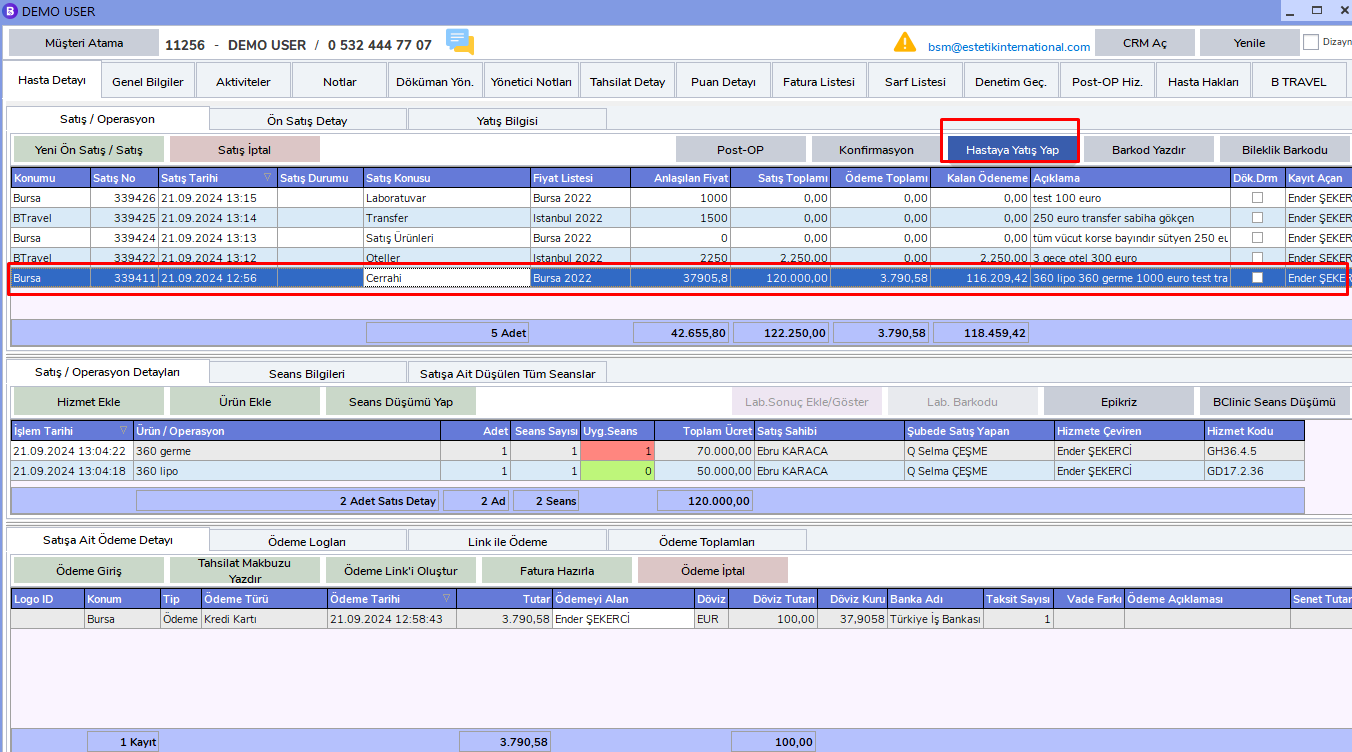
The Patient Admission screen will appear. Fill in the related fields completely.
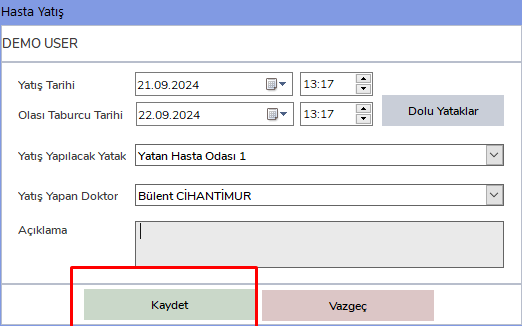
You can complete the admission by clicking the Save button.
Important Notes
Sales Operations
By default, the most recent sale is automatically selected. However, during all operations, whichever sale will be processed must be selected carefully from the related sale's "Sales/Operation" area.
Service Operations
In service-related operations, the latest service is selected by default. If an operation will be performed for a service, the related service must be selected from the "Sales/Operation Details" area.