BCODE AKYS "Change Password" Procedure
Step 1: Open the Change Password Tab
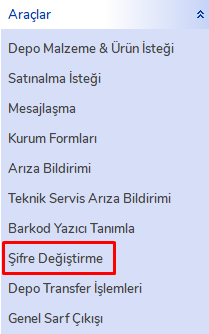
Click the "Change Password" tab under the Tools menu on the left side.
Step 2: Enter Password Information
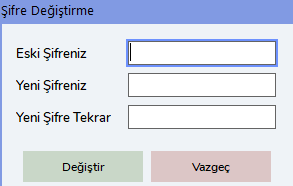
In the window that opens, enter the following information in order:
- Your Old Password: Enter your current password in this field.
- Your New Password: Enter the new password you want to create.
- New Password (Again): Enter your new password again to confirm it.
Step 3: Change the Password
After entering the information, click the "Change" button. When you complete the process, your password will be changed successfully.