Manager Reports
You can access the manager reports page by clicking the "Manager Reports" tab under the "Sales" menu on the left side.
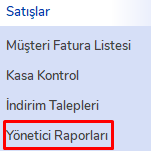
Manager Reports Window
The manager reports screen will appear. On this screen, you can filter your reports by specifying a date range or according to the headings in the upper tabs.
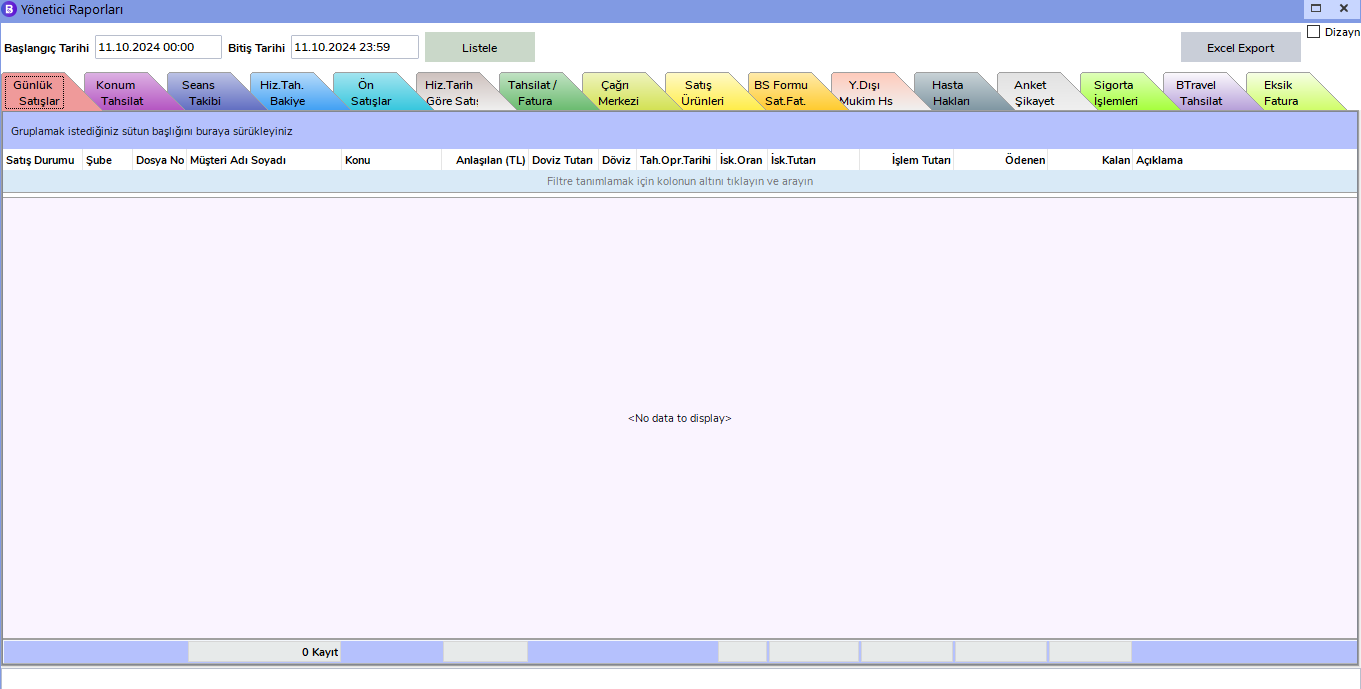
Detailed Filtering
To perform more detailed filtering within the report, you can access additional filter options by using the icon next to the headings. For example, you can apply more specific filters by clicking the icon next to the "Subject" heading.
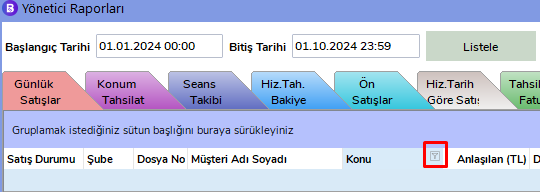
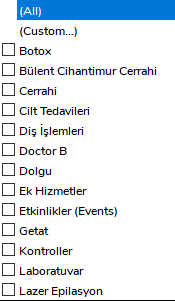
Overview of Manager Reports
Through manager reports, you can access the following reports:

- Daily Sales: Report where you can view all sales data between the specified dates.
- Location Collection: Report where you can view all collections between the specified dates.
- Session Tracking: Report where you can review the records of all completed sessions.
- Service Collection Balance: Report where you can track patients' remaining payments.
- Pre-Sales: Report where you can view the details of all opened pre-sales.
- Service Sales by Date: Report where you can view sales made by service date.
- Invoice/Collection: Report where you can query invoice and collection statuses.
- Call Center: Report where you can track appointments, leads, and sales opened by the call center.
- Sales Products: Report where you can track products offered for sale.
- Patient Rights: Report where you can monitor patient rights processes.
- Survey Complaint: Report where you can view the details of patients who complained as a result of a survey.
- BTravel Collection: Report where BTravel collections are recorded.
- Missing Invoice: Report where patients whose invoices have not yet been issued are listed.
With manager reports, you can perform detailed analyses of sales and services and manage your business processes more effectively.