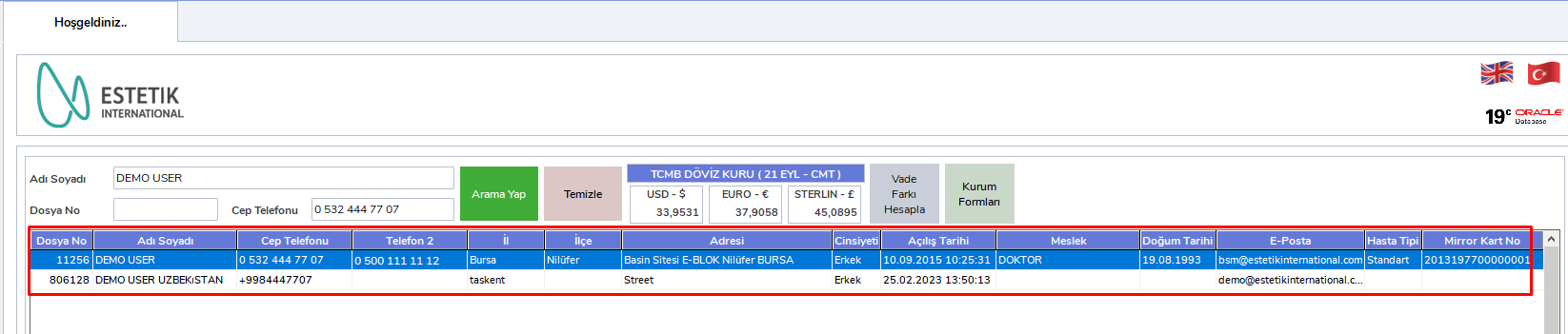
BCODE AKYS "Patient Search" Procedure
Required Information
- File No
- Phone No
- Full Name
File No is a unique ID number specially created and defined by the system for each patient. Since each patient has a different file number, searching by File No always provides more consistent results.
You can also search by Phone No and Full Name.
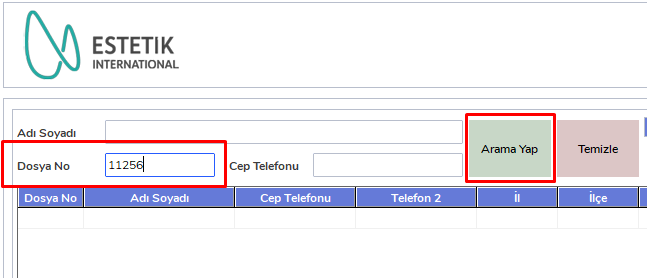
Step 1: Search by File No
Enter the patient's File No in the relevant field and click the "Search" button.
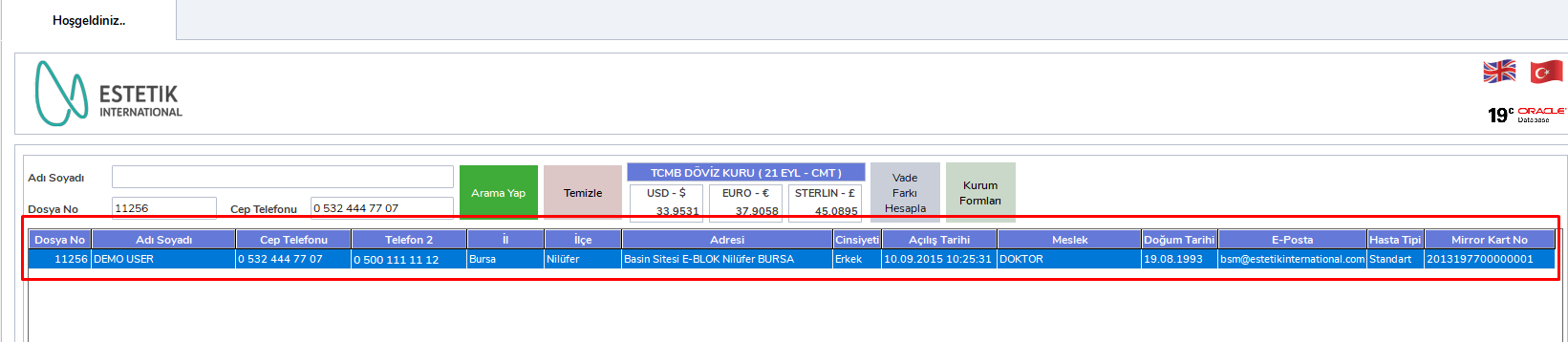
Step 2: View patient information
The related patient will be displayed with their information on the row below.
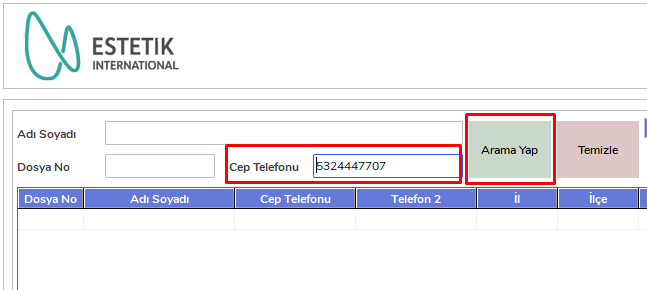
Step 3: Search by Phone No
Enter the patient's Phone No in the Mobile Phone field and click the "Search" button.
Step 4: View patient information
The related patient will be displayed with their information on the row below.

Step 5: Search by Full Name
Enter the patient's Full Name information in the relevant field and click the "Search" button.

Step 6: View patient information
The related patient will be displayed with their information on the row below.