Detailed Patient Search
You can use the Detailed Patient Search screen to access patient information faster and more effectively.
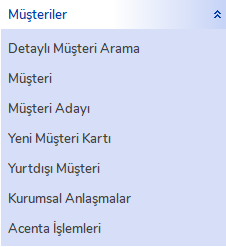
Detailed Patient Search Access
You can access the detailed search screen by clicking the "Detailed Customer Search" tab under the "Customers" menu on the left side.
Detailed Search Window
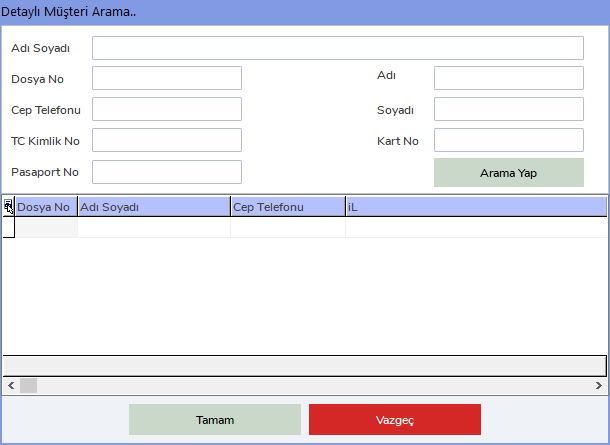
When the Detailed Customer Search window opens, you can search for patients by many different pieces of information.
Search Criteria
In this window, you can search by the following criteria:
- Full Name
- File No
- Mobile Phone
- TR Identity No
- Passport No
- Name
- Surname
- Card No
You can access patient information by using the search criteria.
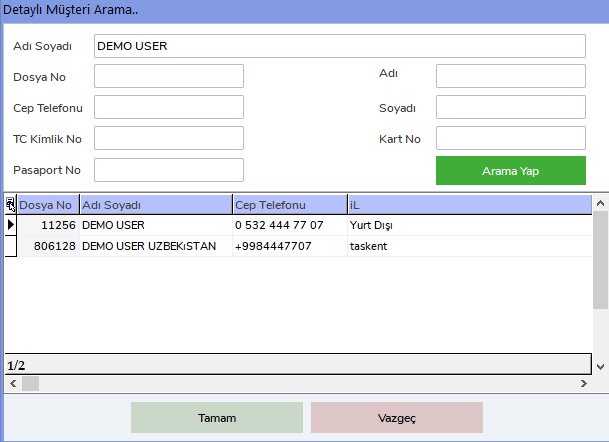
Search Results
When you search according to the entered criteria, the results will be listed on the screen. Example results are shown below:
The Detailed Patient Search function provides quick access to patient information and makes customer management processes easier.