BCODE AKYS "Warehouse Request Fulfillment" Procedure
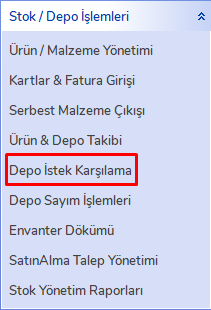
Click the "Warehouse Request Fulfillment" tab under the "Stock / Warehouse Operations" menu on the left side.
Product Tracking
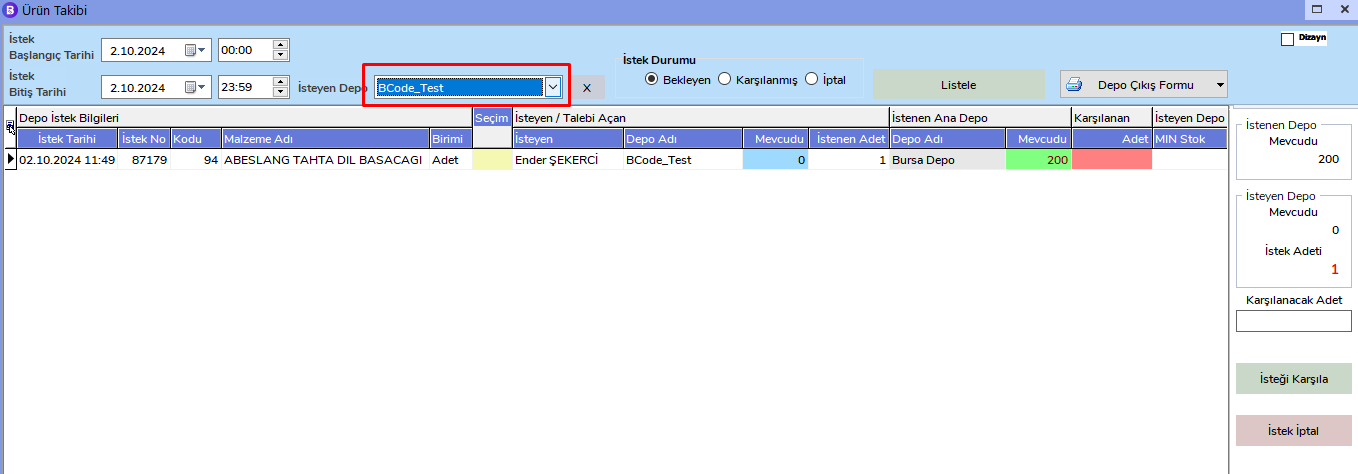
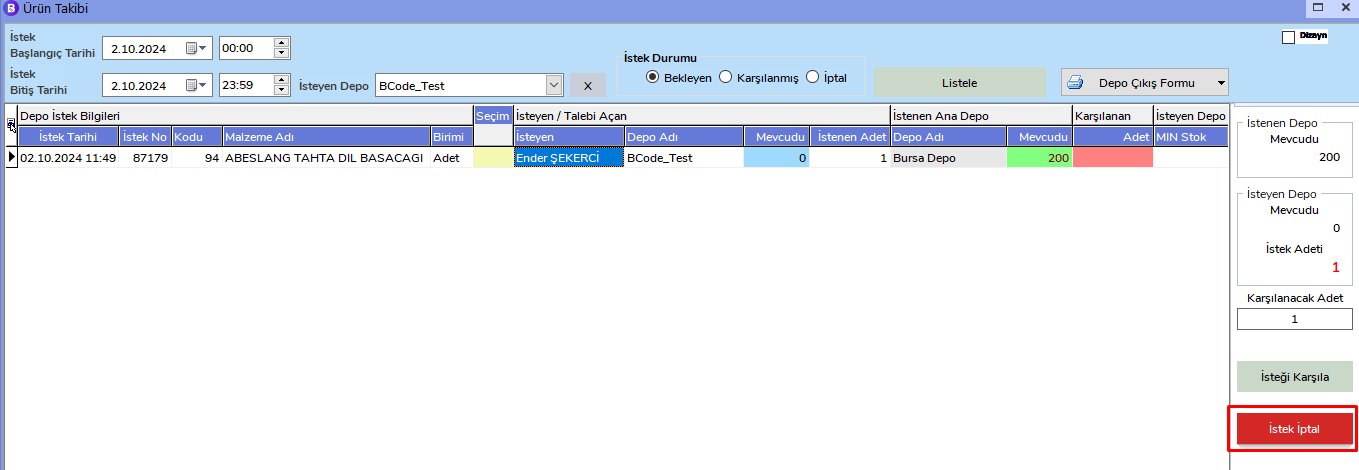
In the Product Tracking window that opens, select the requesting warehouse from the section marked in red.
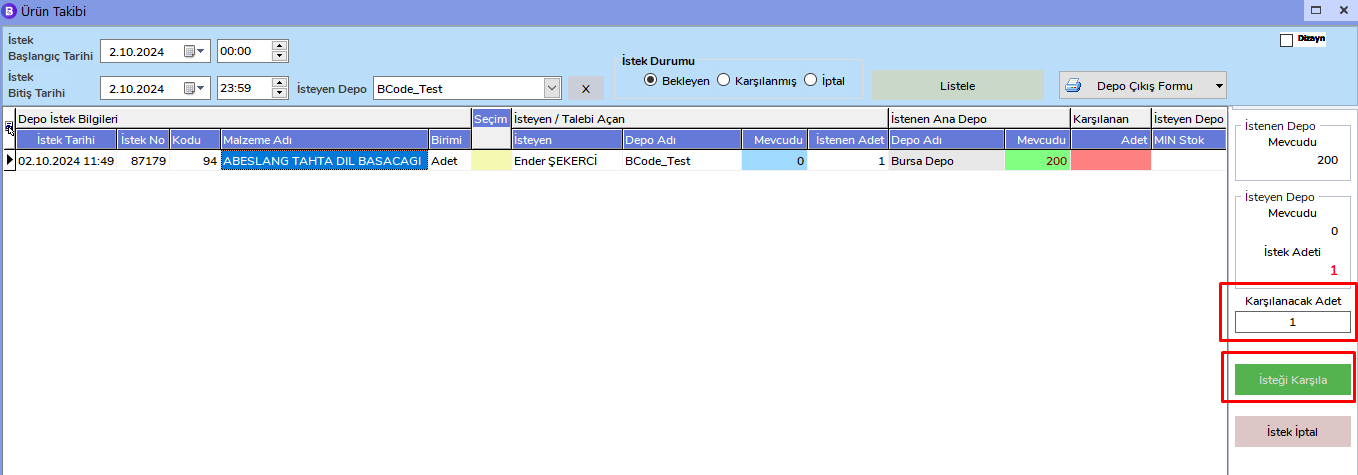
To fulfill requested products from the Main warehouse for which you are authorized, enter the quantity to be fulfilled on the right side and click the "Fulfill Request" button.
Equivalent Product Usage
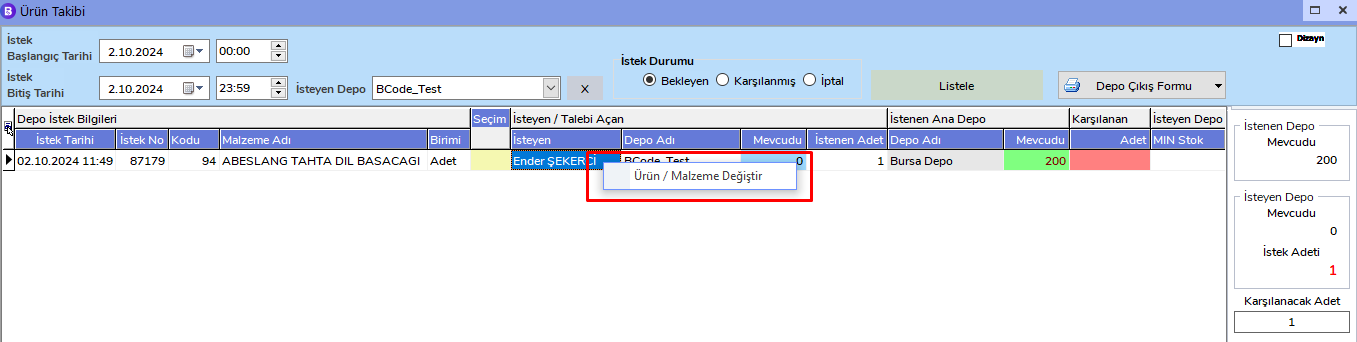
If the requested product is not in stock, you can right-click the product and use the "Change Product / Material" option to select an equivalent product available in stock.
Request Cancellation
If you want to cancel the requested products, you can perform the cancellation by clicking the "Cancel Request" button on the right side.
Warehouse Issue Form
If you want to get a list of the products you issued, you can click the "Warehouse Issue Form" button in the upper right corner and print it.
