Create Appointment
Step 1: Create Appointment
After opening the patient card, click the "Activities" tab in the top menu.
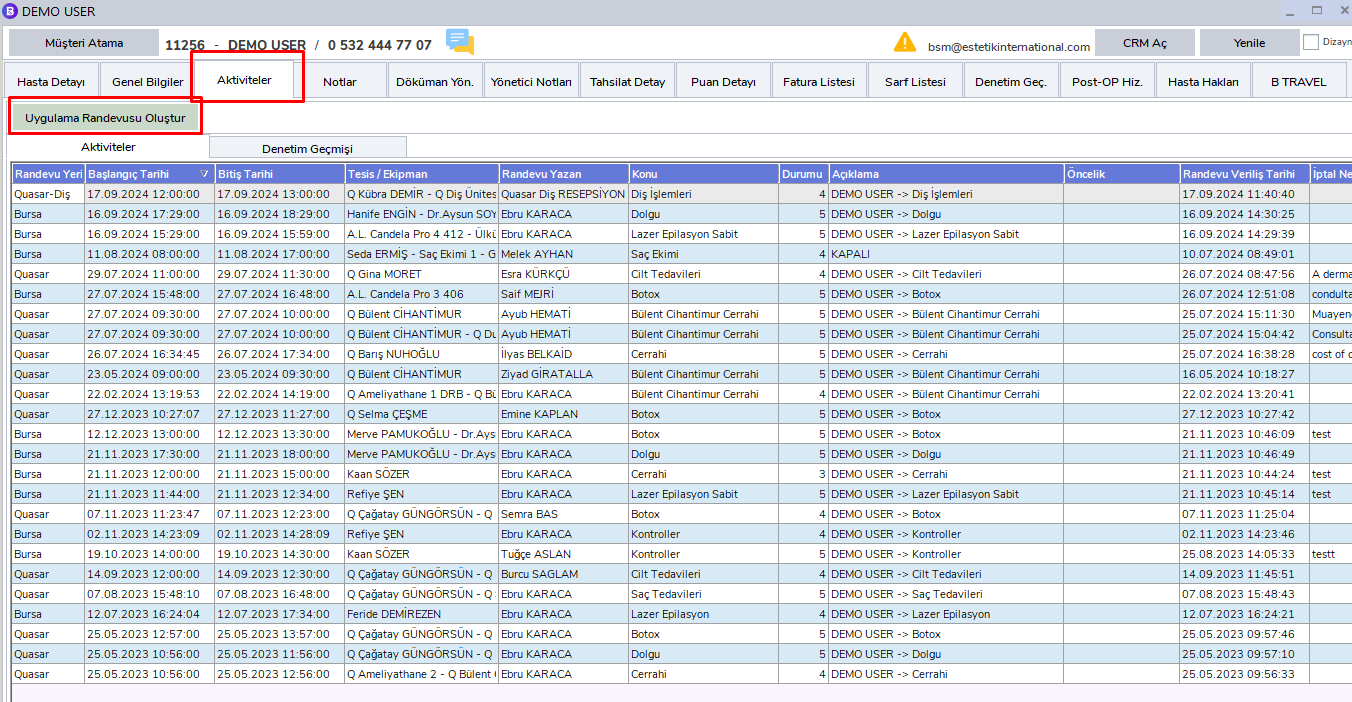
On this screen, you can create the following appointment types by clicking the "Create Application Appointment" button:
- Pre-Consultation
- Application Appointment
- Visit
- Offline Appointments
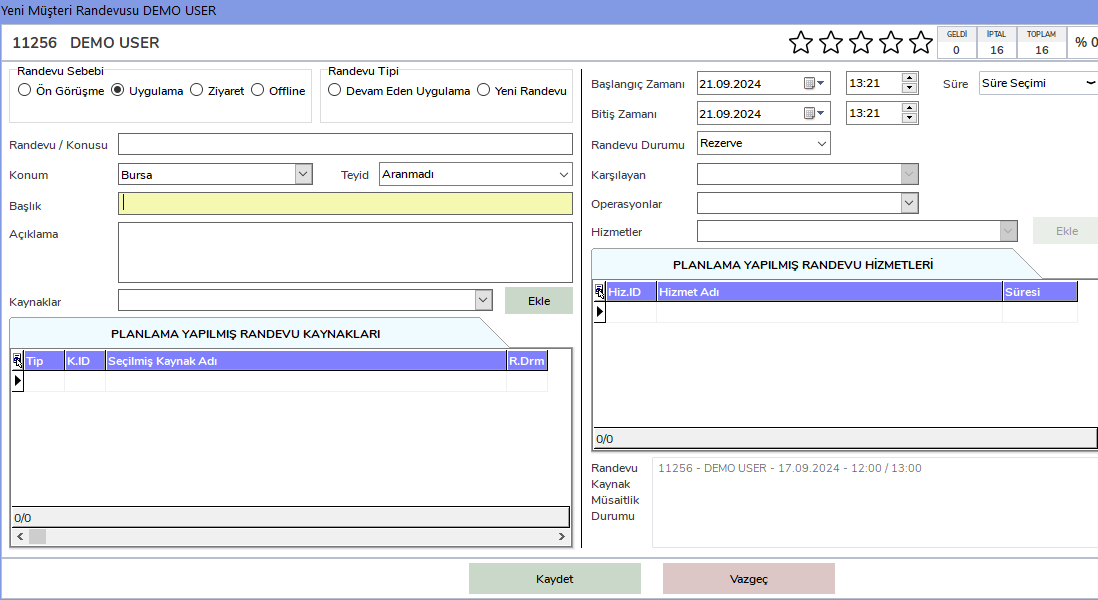
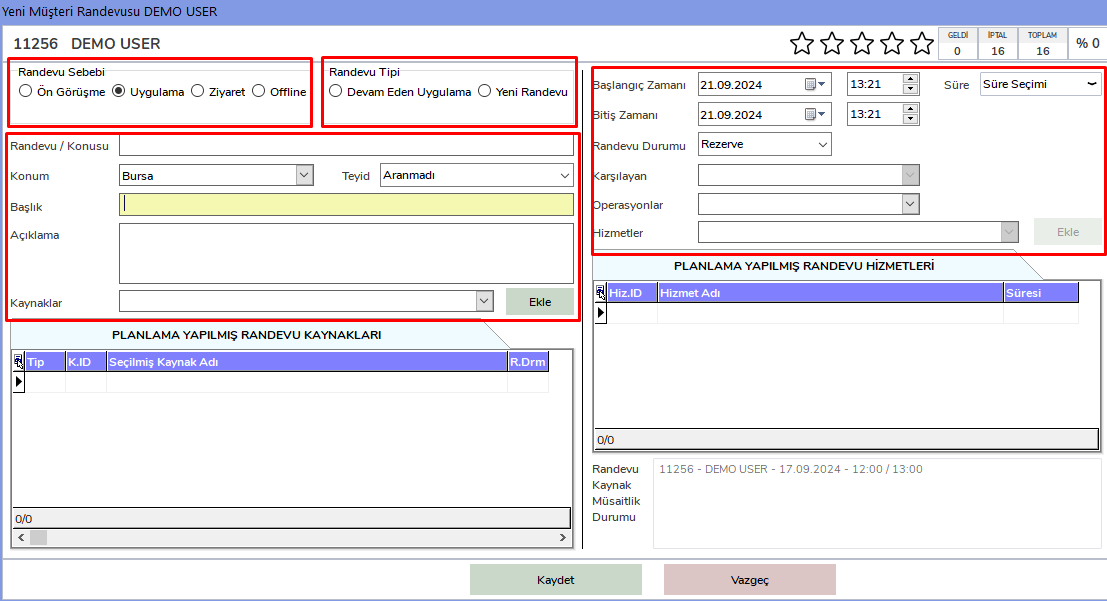
Step 2: Required Fields
The fields marked in red below are required fields. These fields must be filled in carefully.
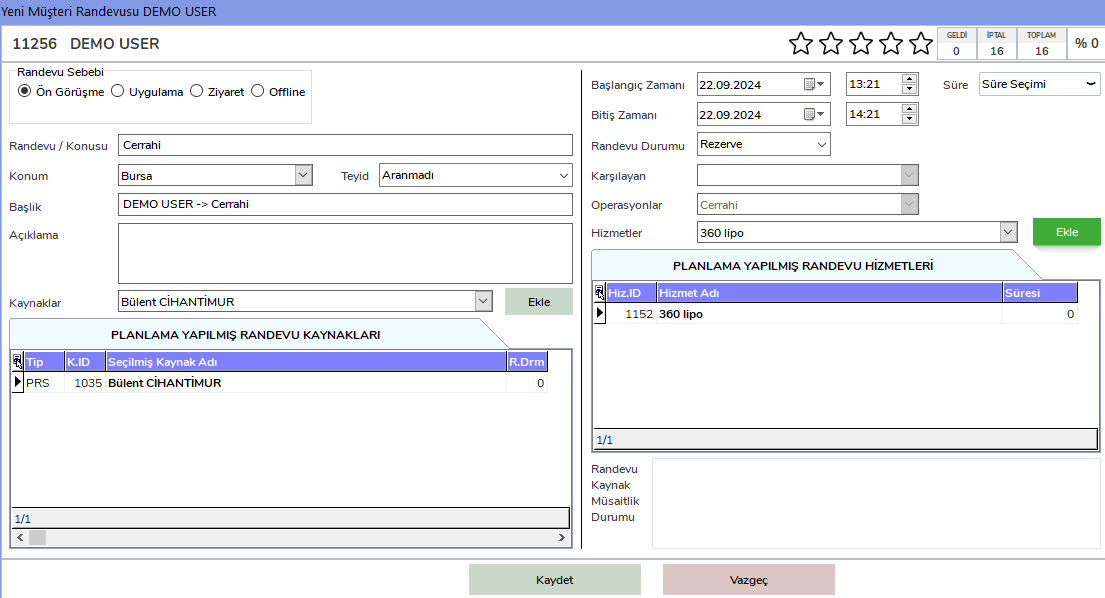
Step 3: Pre-Consultation Appointment Example
For an example Pre-Consultation Appointment, the required fields must be filled in as follows.
Step 4: Appointment Quality and Details
In the Activities tab on the patient card, you can view the quality and details of the appointments belonging to the patient.
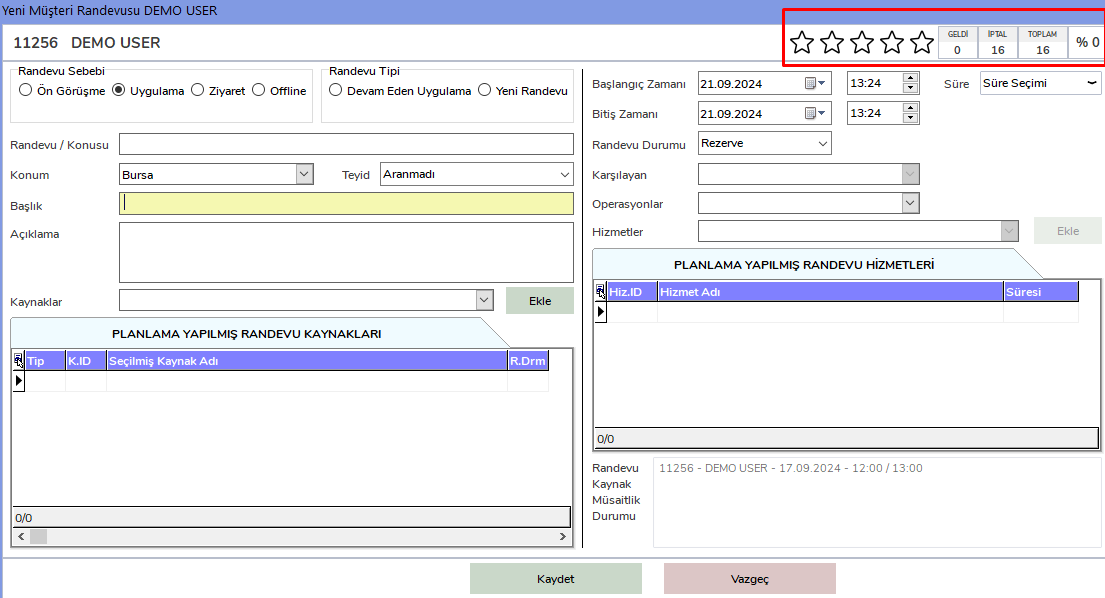
The number of created appointments, canceled appointments, and attended appointments can be tracked in this area.