Add Service
Step 1: Add Service to a Sale
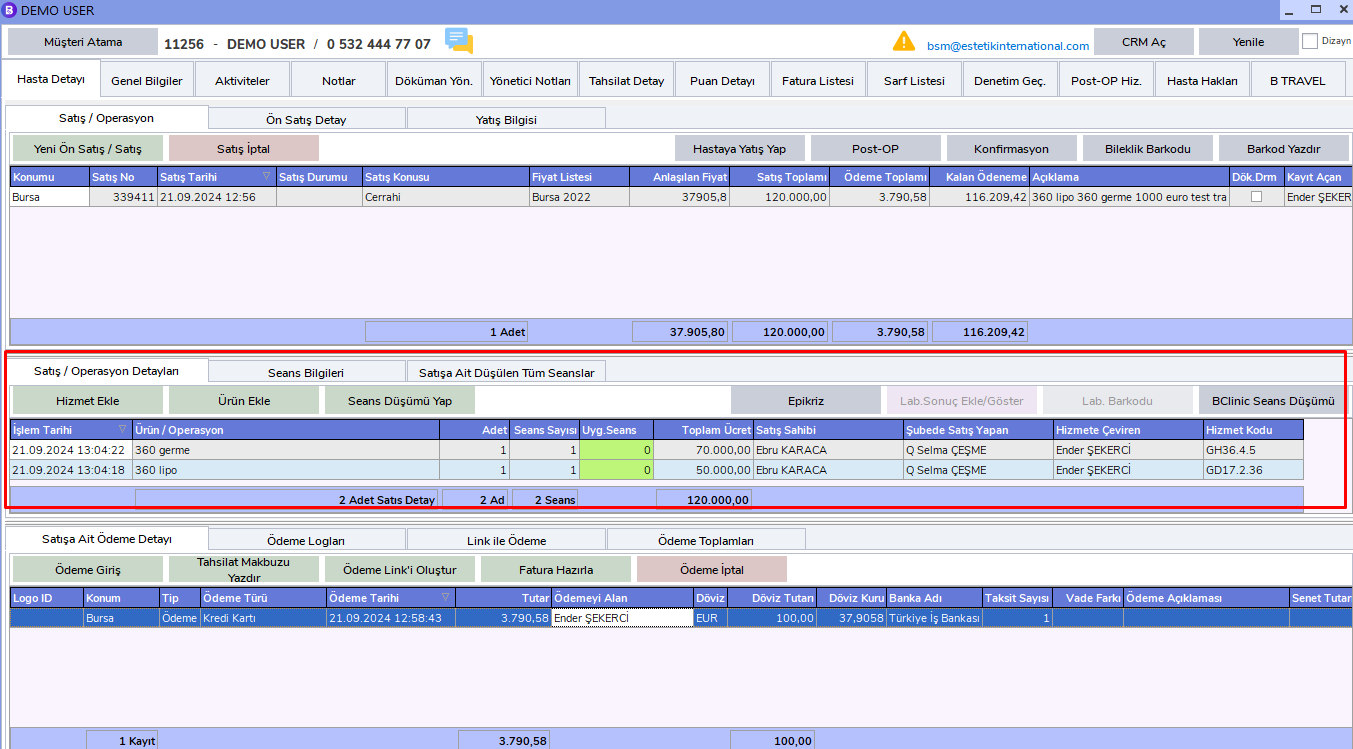
After selecting the related sale, click the "Add Service" button in the Sales / Operation Details area.
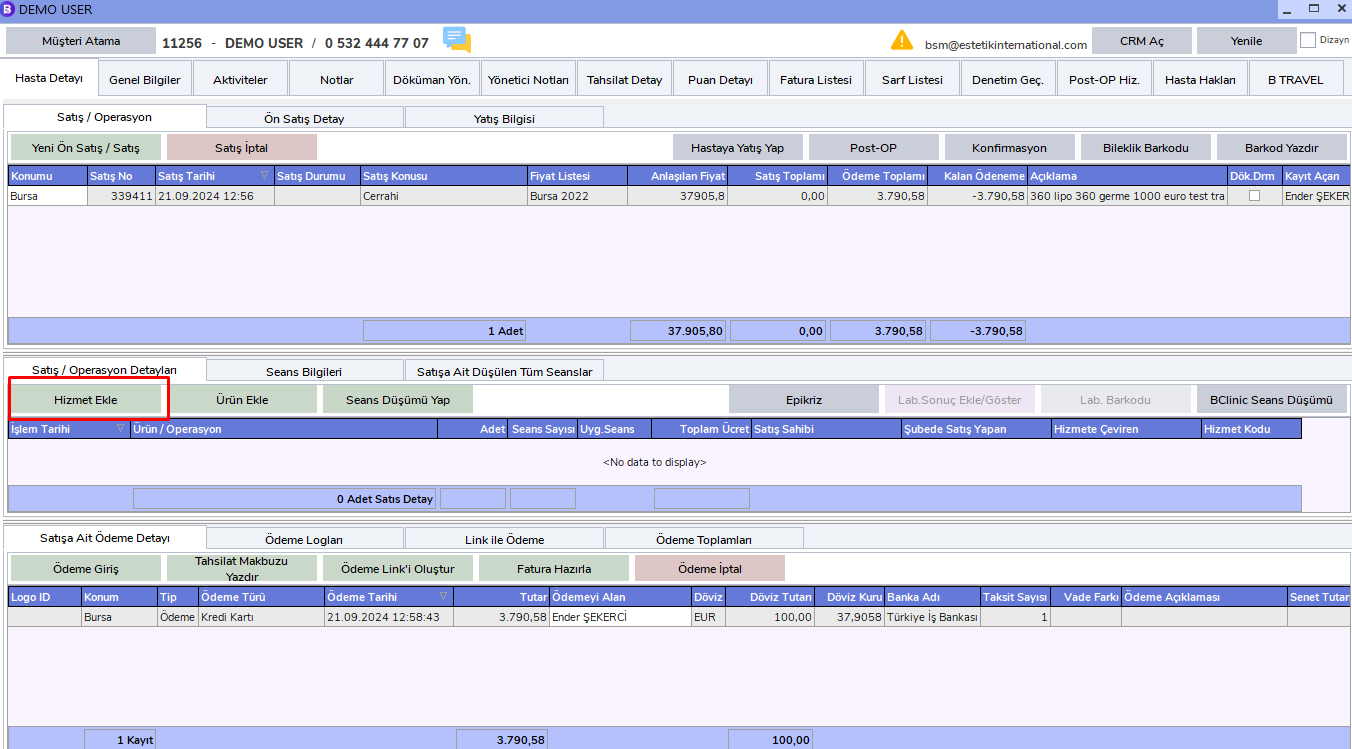
The Service Entry Screen will open.
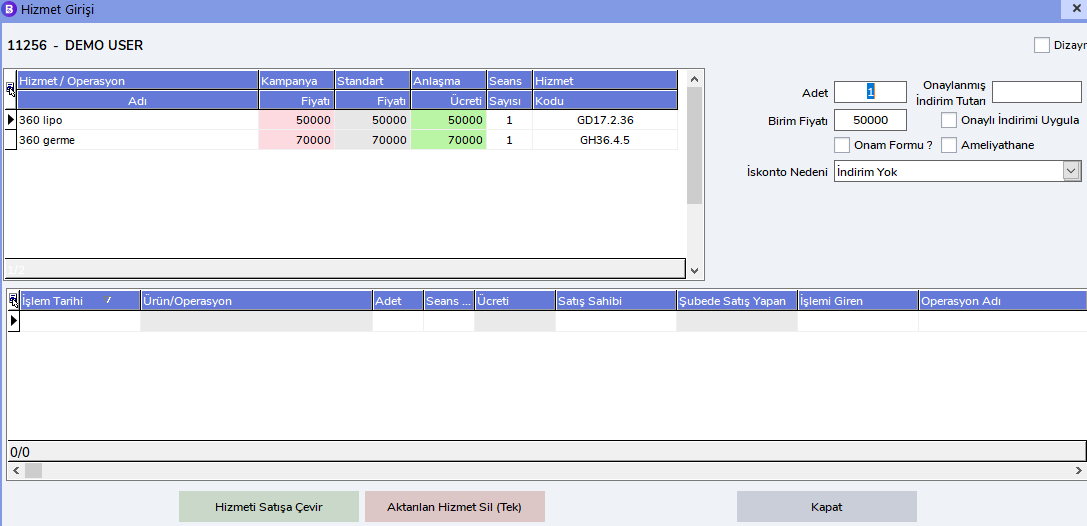
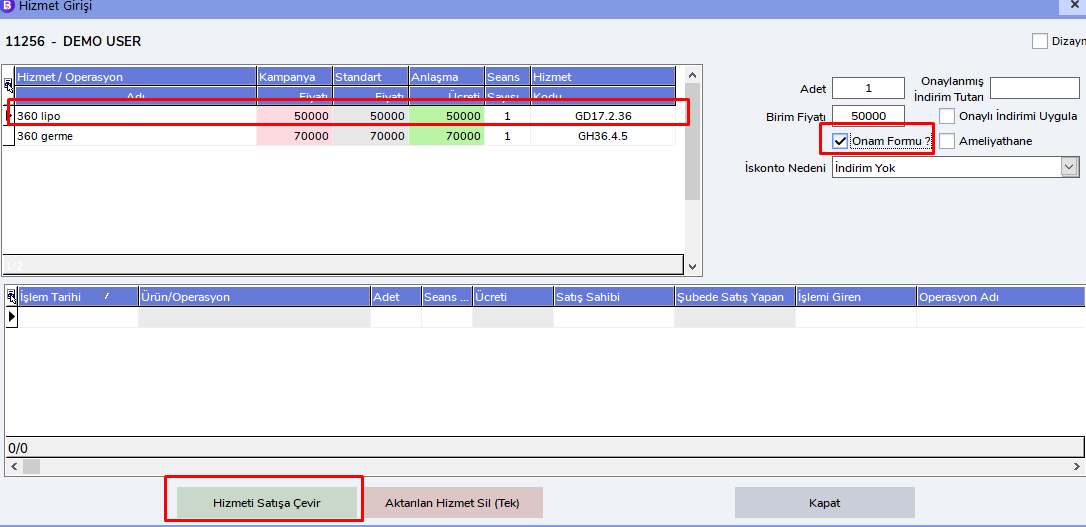
Select the service you want to convert to a sale. If the Consent Form has been uploaded to the system, mark the relevant field and click the Convert Service to Sale button.
All sales converted to services are displayed as follows.
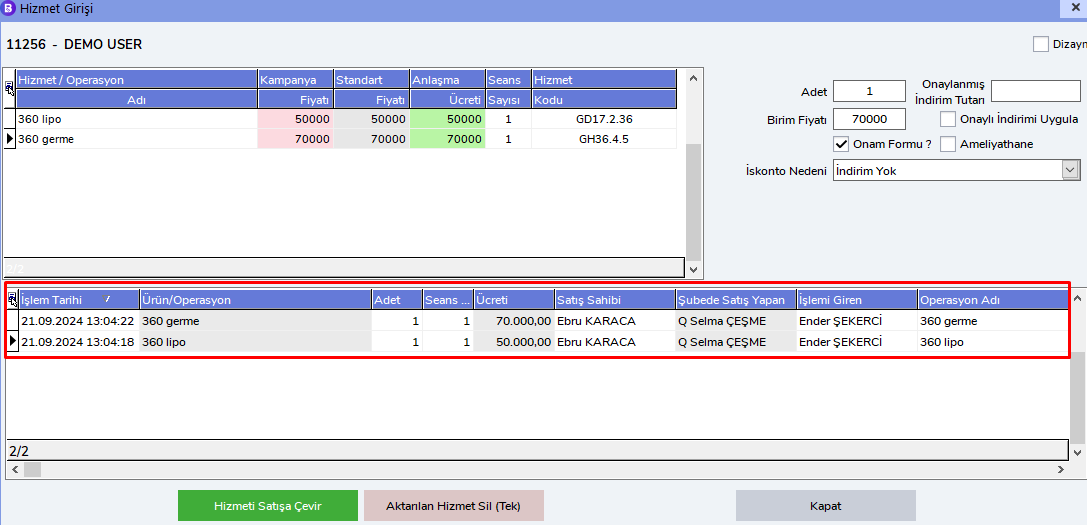
Sales converted to services will appear in the Sales / Operation Details area on the Patient Card.
Important Notes
Sales Operations
By default, the most recent sale is automatically selected. However, during all operations, whichever sale will be processed must be selected carefully from the related sale's "Sales/Operation" area.
Service Operations
In service-related operations, the latest service is selected by default. If an operation will be performed for a service, the related service must be selected from the "Sales/Operation Details" area.