BCODE AKYS "Product & Warehouse Tracking" Procedure
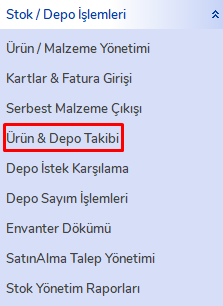
Click the "Product & Warehouse Tracking" tab under the "Stock / Warehouse Operations" menu on the left side.
Check Warehouse Statuses
To check warehouse statuses, click the "Warehouse Status" tab.
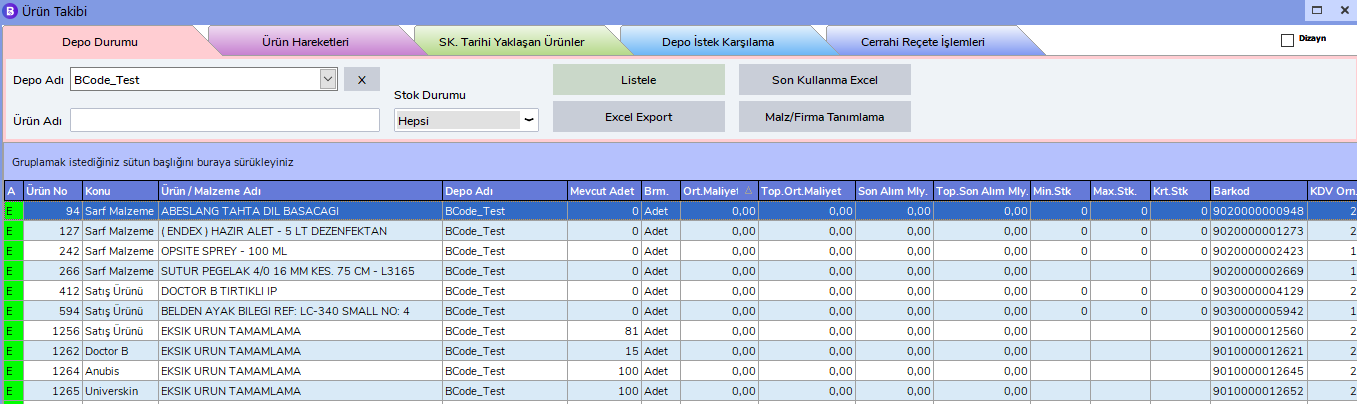
Select the warehouse you want to track from the Warehouse Name field and click the "List" button. You can filter by Product Name or Stock Status.
Track Product Movements
To track product movements, click the "Product Movements" tab. Enter the Start Date and End Date ranges. You can also filter by Product / Material Group or by your Product / Material selection.

You can view all movements belonging to products / materials from this screen.