Session Deduction
Step 1: Session Deduction Operation
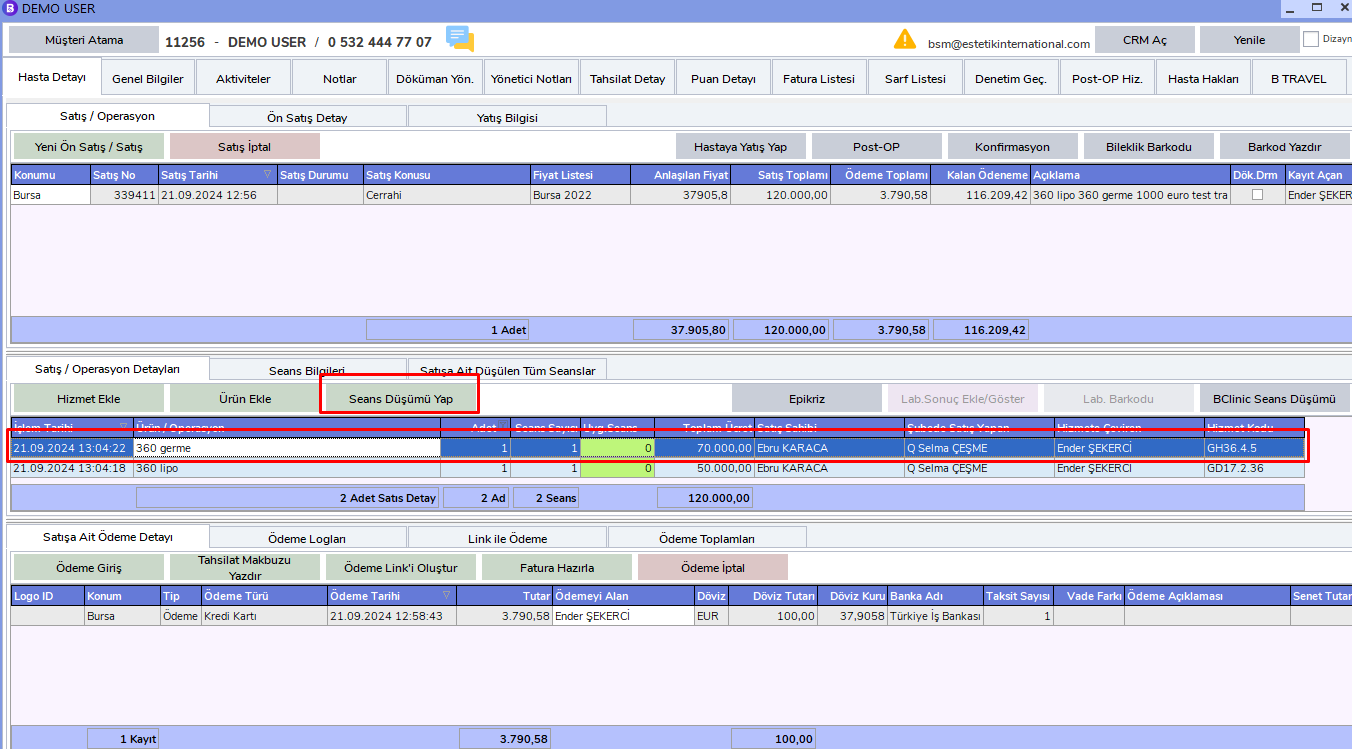
Session deductions can be performed through Smart Clinics. Authorized users can also perform session deduction through BCODE AKYS. After selecting the service whose session will be deducted, click the Deduct Session button.
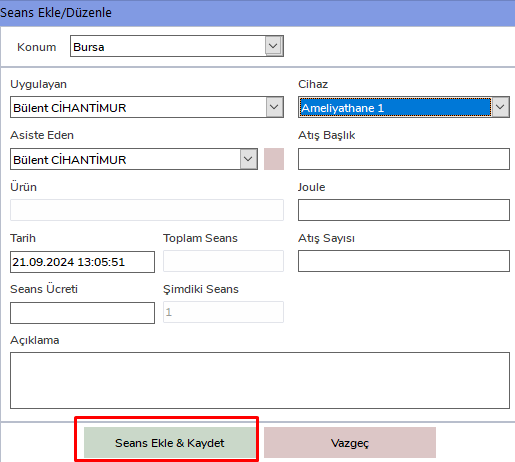
In the Add / Edit Session window, enter the practitioner, assistant, and device information, then click the Add Session & Save button.
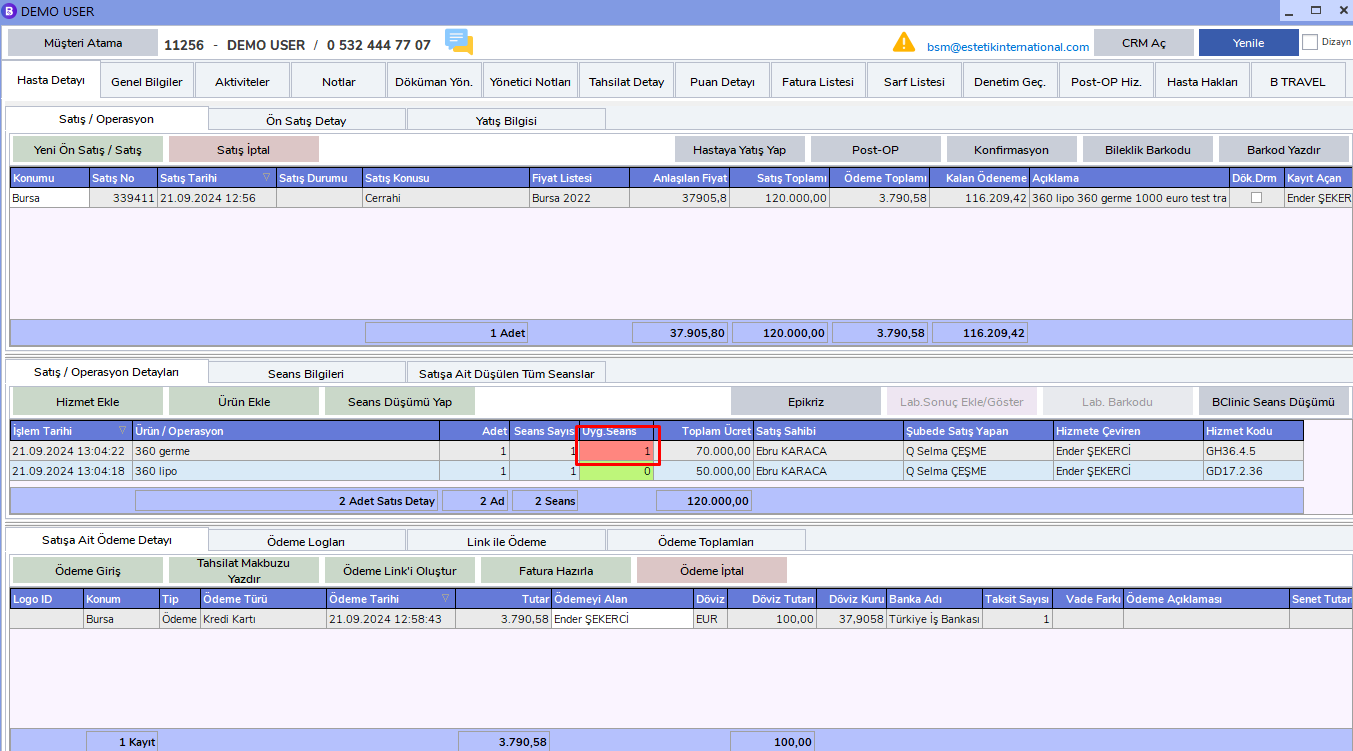
For services whose session rights have ended, the background color will turn red. For patients whose session rights continue, green will be displayed.
Important Notes
Sales Operations
By default, the most recent sale is automatically selected. However, during all operations, whichever sale will be processed must be selected carefully from the related sale's "Sales/Operation" area.
Service Operations
In service-related operations, the latest service is selected by default. If an operation will be performed for a service, the related service must be selected from the "Sales/Operation Details" area.