BCODE AKYS "New Patient Registration" Procedure
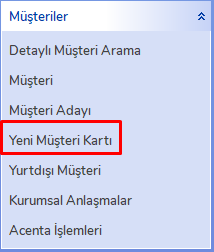
Step 1: Click the "New Customer Card" tab under the Customers menu in the left menu.
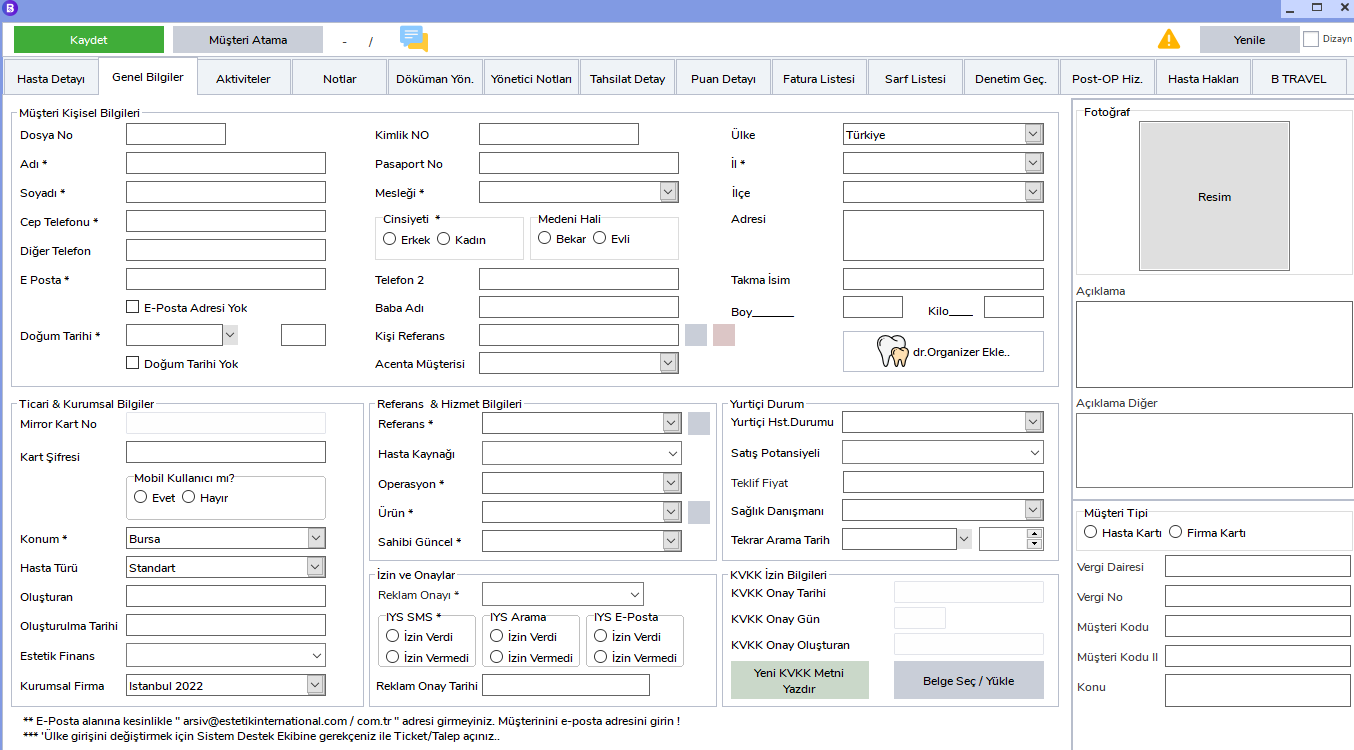
Step 2: The New Patient Registration (Empty Patient Card) window will open.
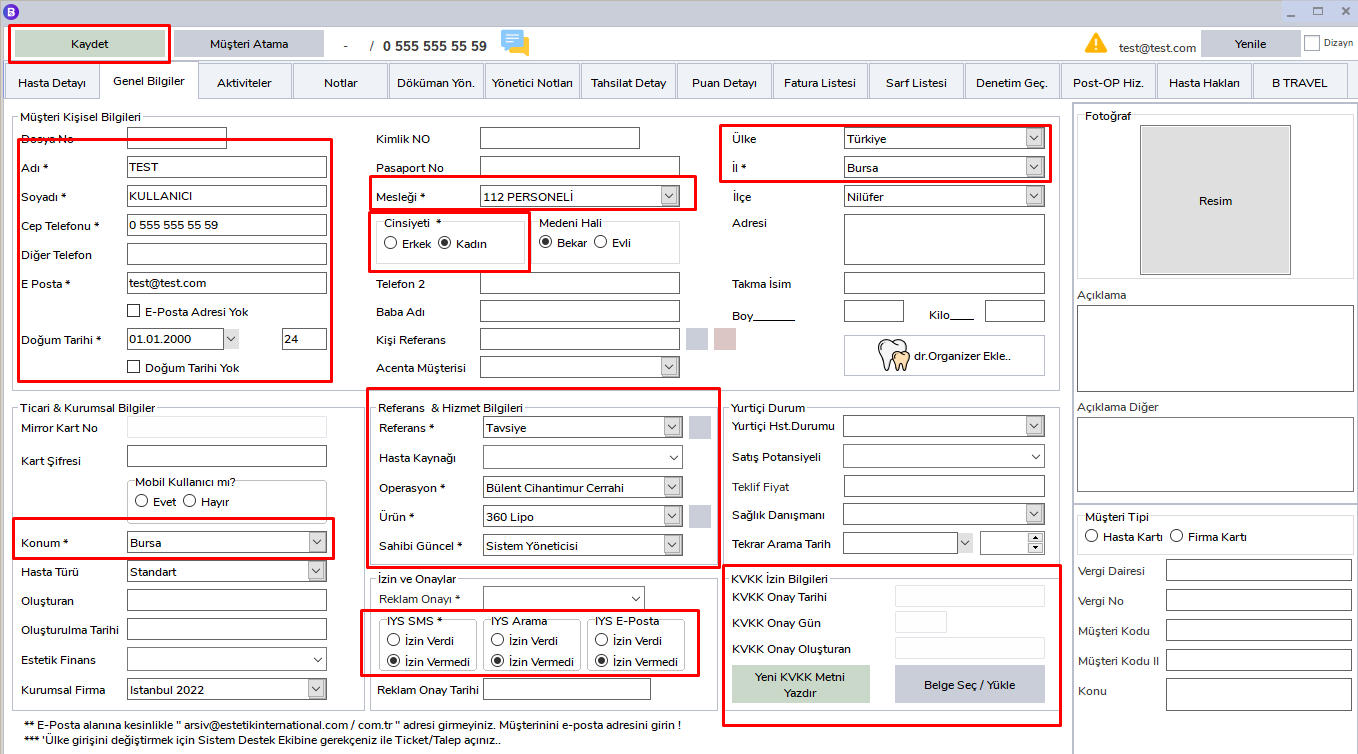
Step 3: Fill in the required fields (* fields are mandatory)
In this step, the required fields must be filled in correctly to complete the patient registration. Required fields are indicated in red.
Required Fields and Descriptions:
- Name: The patient's name. It must be written completely and correctly.
- Surname: The patient's surname. This information is required for the patient to be saved in the system.
- Mobile Phone: The patient's mobile phone number. Since it is the most important information used for contact, the number must be entered completely and without errors.
- E-Mail: The patient's e-mail address. It is required to complete the system registration and to contact the patient by e-mail when necessary.
- Date of Birth: The patient's date of birth. The date format must be entered correctly (day/month/year).
- Gender: The patient's gender must be selected. It must be specified as Male or Female.
- Country: The country where the patient is located must be selected.
- Province: The province where the patient lives must be selected. This information allows more accurate and faster searches in the system during patient registration.
-
Profession: The patient's profession must be selected. This field must be filled in to keep system records correctly.
-
Date of Birth (Day): In addition to the date of birth, the patient's birthday information can be entered.
- Phone No (Other): Another phone number belonging to the patient.
- Address Information: Detailed address information for the patient can be added.
- Reference and Service Information: The patient's reference information and details of the service received are entered.
- Advertising and KVKK Consent Information: The patient's legal permissions and communication permissions must be specified in these fields.
- Location: The location where the patient will be registered is required so that the location connected to the registration is selected correctly.
Other Fields:
Although these fields are not required for patient registration, they can be filled in to collect more information about the patient and provide better service.
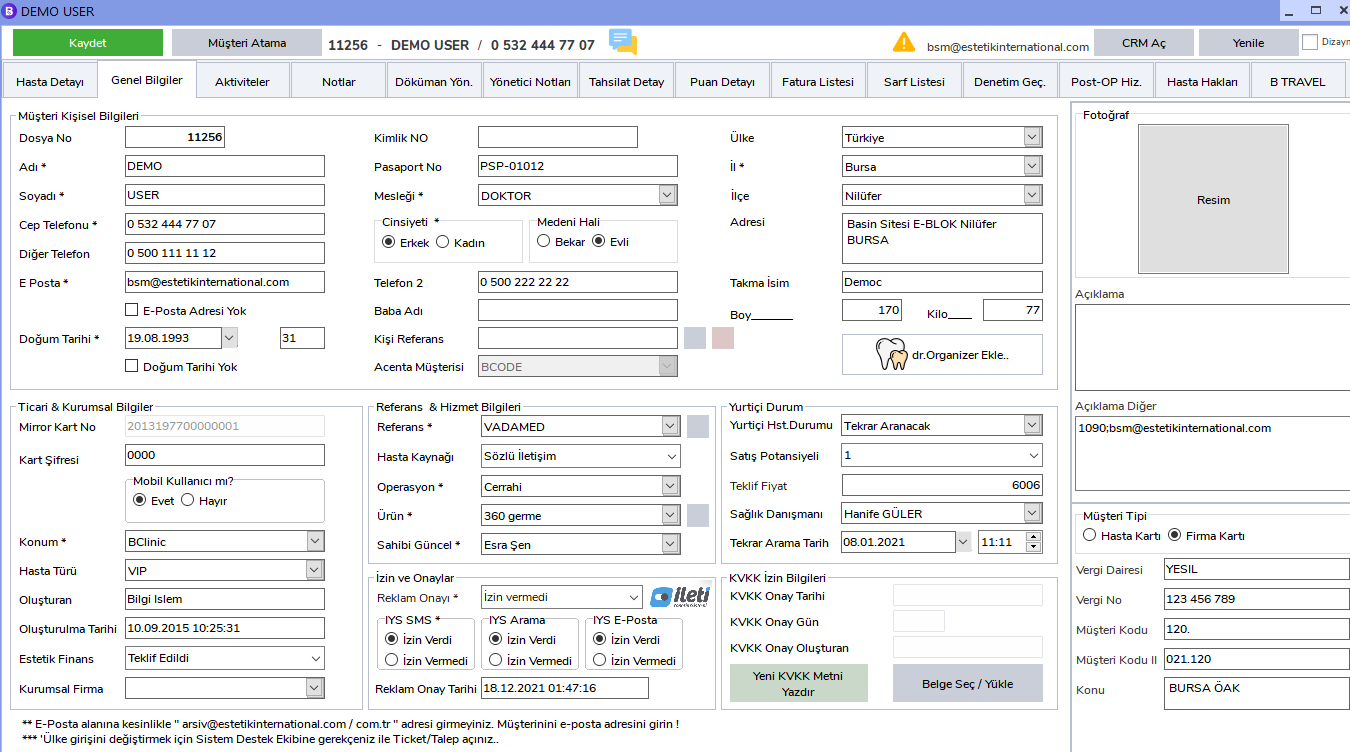
Step 4: A completed Patient Card
A fully completed patient card is displayed as follows.